
RENAME EDITOR
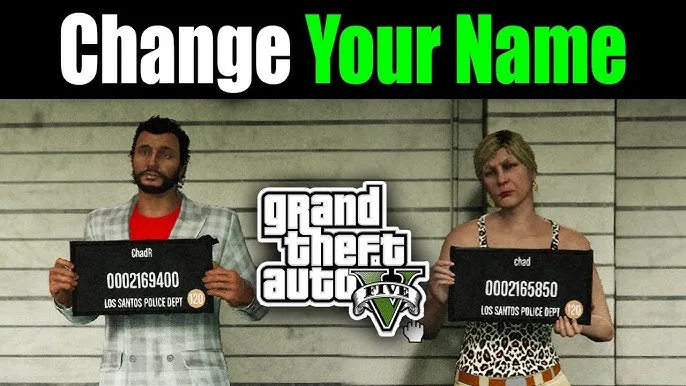
The Re-Name Editor is a powerful GTA Online mod that enables you to completely customize your GTA Online username and other labels. The Re-Name Editor includes a variety of options to make your in-game name look the way you want it to (such as using custom colors, specific formatting, and famous GTA symbols). The Re-Name Editor is written in Lua. Below is everything you need to know about the Re-Name Editor – What it does, How it works, Why it’s so cool, and how to get the most out of it.What Does The Re-Name Editor Do?
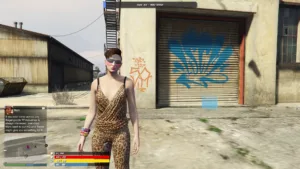
The Re-Name Editor is a GTA Online Lua script that utilizes GTA’s built-in text formatting system. The Re-Name Editor is designed to allow users to have customizable formatted usernames for all in-game items. The Re-Name Editor has an on-screen keyboard input feature, enabling users to type in a username utilizing color codes, bold and italic formats, GTA-specific icons, and/or other special GTA symbols that you can’t access through GTA’s normal naming conventions.In-Game Picrtures:
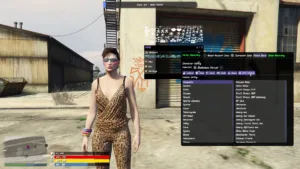
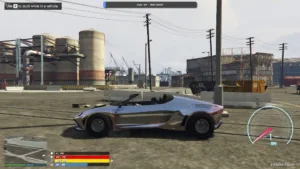

n essence, the Re-Name Editor interfaces into GTA Online’s built-in keyboard input system using the DISPLAY_ONSCREEN_KEYBOARD and GET_ONSCREEN_KEYBOARD_RESULT natives, wraps the user’s input text with a predefined formatting wrapper, and displays the final styled username in-game. This gives a player a clean and visually appealing username that can be distinguished from a username created by a non-scripting user.
How Was the Re-Name Editor Created?
The Re-Name Editor was originally created by ImagineNothing as a TinkerScript. Since then, the Re-Name Editor has evolved into a useful utility for GTA modders, giving players even more control of their GTA accounts.Why Is Creating Customized Names Important in GTA Online?
Although some players may see creating custom names as simply an extension of vanity, creating a custom name is actually a key component of projecting yourself to other players in GTA Online. As GTA Online is essentially a very social game, your character represents YOU, and the names you assign to your clothing, vehicles, etc., serve as a method of representing yourself to other players. For example, players that actively create, maintain, and enhance their online identities, either through streaming/content creation, or because they take pride in their GTA account, will find the Re-Name Editor to be a valuable tool that allows them to create custom-colored, icon-rich names that give their online presence a more professional and classy feel. Labeling outfits is one of the most tedious parts of many GTA Online players’ experiences. By being able to apply custom-colored names to their outfits that also reflect the color of the outfit itself, players gain a whole new layer of depth to their overall GTA Online experience.Setting Up the Control Panel
One of the most intuitive aspects of the Re-Name Editor is its simple-to-read and easy-to-use control panel. This is located at the top of the Re-Name Editor, and is the location where users configure the default operation of the Re-Name Editor before launching it. Preset Name local Preset_Name = “Fox” The Preset_Name variable is the default text that appears in the on-screen keyboard input box when the Re-Name Editor is opened. In the original version of the Re-Name Editor, this is set to “Fox,” however, users can replace this with any name they frequently use, eliminating the need to type it in each time they open the Re-Name Editor. To put it simply, the Preset_Name field functions as a convenient default entry point to speed up the process for users that frequently open the Re-Name Editor. Start and End Formatting Strings local Start_Formatting = “~ws~~r~∑~s~” local End_Formatting = “~r~∑~ws~” At this point, the Re-Name Editor starts applying visual effects. The Start_Formatting string is always prepended to the user-created name, while the End_Formatting string is always appended to the user-created name. The defaults supplied in the original version of the Re-Name Editor wrap the user-created name with a combination of the ~ws~ Wanted Star symbol, the ~r~ Red Color Tag, the ∑ Rockstar Sigma symbol, and the ~s~ Style Reset symbol. Users can replace the colors, swap the icons, or simplify the formatting if needed.Symbol and Icon Reference Table
A useful reference table containing information on the special symbols and icons that can be used in the formatting strings is included in the Re-Name Editor as comments. The reference table is intended to act as a cheat-sheet for users looking to create their own custom formatting strings. There are five symbols that can be referenced in the formatting strings:- Rockstar Verified Icon (¦) – this symbol renders as the checked verify mark-style icon associated with rockstar verified content in-game. When added to a name, it provides an air of official legitimacy to whatever it is applied to. It’s HTML code is &¦; and its hex code is &¦;
Rockstar Icon (∑) – perhaps the most recognizable icon in the set, this icon renders as the Rockstar Games logo-style icon. the Re-Name editor has already made use of this icon in its default formatting, using it to wrap the user-entered name. Its HTML code is &∑; and its hex code is &∑;
Lock Icon (ω) – this icon renders as a Lock Icon in-gaming, making it perfect for naming items that you want to visually identify as locked/secured/exclusive. Its HTML code is &ω; and its hex code is &ω;
R created icon (‹) – this icon renders as the icon used to indicate that something is Rockstar Created in GTA Online’s menus. By adding it to a custom name, it creates the illusion that the name is authored by rockstar themselves. Its HTML code is &‹; and its hex code is &‹;
Blank White Icon (›) – a subtle decorative item that renders as a Blank White Icon, making it suitable for adding space or separating visually in formatted names. Its HTML code is &›; and its hex code is &›;.
A note included in the script indicates that these symbols can be used directly (by copy/pasting the character) when renaming an outfit. However, for any other naming context, the HTML or hex codes should be used instead. This is due to the fact that gta online handles character encoding differently depending on the location of the named object, and using the wrong method in the wrong location can cause problems.
Complete color code guide
In the Re-Name editor there is an exhaustive collection of all of GTA Online’s native Text color codes. Each of the color codes can be embedded into a name string directly, to generate colored Text within the game. Below is a detailed description of all of the color codes available: ~b~ generates blue Text. Great for creating an icy or authoritative vibe in names. ~c~ is rendered as grey, perfect for a subtle or understated design. ~d~ creates a dark blue, providing a deeper moodier tone. ~g~ is applied as Green, suitable for money-themed names, or anything else you’d like to give a fresh look to. ~m~ produces a darker shade of grey than the standard grey. ~o~ is rendered as Orange, eye-catching and warm. ~p~ is rendered as Purple, a very popular color tag for premium or Royal looking names. ~q~ is rendered as Pink, and is widely used in Stylized or Playful naming styles. ~r~ is rendered as Red, one of the most common color tags and what is used in the default formatting. ~u~ produces black Text. ~w~ is applied as white, clean and classic. ~y~ is rendered as Yellow, bright and attention grabbing.There are also Formatting and Special Codes beyond colors:
~ws~ inserts the wanted star icon, an easily recognizable GTA Symbol that is often used as decorative. ~h~ applies bold formatting to the Text. ~italic~ renders the Text in italic style. ~n~ inserts a new line, helpful for Multi-Line Names when supported. ~s~ resets all formatting to the default style, helping prevent color or style bleeding over to Text that follows. It’s here that the real artistic expression of the Re-Name editor comes into play. The ability to combine these codes in creative ways allows for some really interesting designs. Like the example below; a name like ~y~~h~Gold~s~ ~g~ Status would render as bold Yellow “Gold” followed by normal Green “Status,” the type of layered styling that immediately draws the eye in any gta online menu.How the script functions: technical overview
Below the hood, the Re-Name editor is elegantly straightforward. It runs inside of a script.run_in_callback block, ensuring that the logic runs in the game’s script thread — a requirement for using gta online natives safely. The script first loads the necessary natives via natives.load_natives() and then checks if the player is currently in a valid online freemode session using NETWORK.NETWORK_IS_SESSION_STARTED(), cross referencing this against transition and player switch checks. This is important because the naming natives simply do not function correctly outside of a live freemode session.
Re-NAME EDITOR: TECHNICAL OVERVIEW OF HOW IT WORKS
From an engineering perspective, the Re-NAME EDITOR is quite simple. In order to run the Re-NAME EDITOR’s logic in the GTA Online game script thread (a requirement to safely call GTA Online natives), the Re-NAME EDITOR is contained within a script.run_in_callback block. Prior to executing the actual logic of the Re-NAME EDITOR, the Re-NAME EDITOR first loads all the required GTA Online natives utilizing nates.load_nates(); Next, the Re-NAME EDITOR verifies that the player is currently participating in a valid GTA Online freemode session by calling NETWORK.NETWORK_IS_SESSION_STARTED() and verifying that a session has started, as well as validating that the player has transitioned into freemode and that there has been no recent player switching. GTA Online’s native text formatting functions simply do not operate properly when the player is not in a live freemode session. If the above checks pass, and if no keyboard is currently open, the Re-NAME EDITOR calls MISC.DISPLAY_ONSCREEN_KEYBOARD() with the pre-configured format strings and preset name, thus opening a customized input dialog. If a keyboard is currently open, the Re-NAME EDITOR alerts the player to first open an input dialog. If the player is not in a valid GTA Online session, the Re-NAME EDITOR requests they join freemode and reload. After opening the keyboard dialog, the Re-NAME EDITOR continuously monitors MISC.UPDATE_ONSCREEN_KEYBOARD() and MISC.GET_ONSCREEN_KEYBOARD_RESULT(). When the user confirms their input by returning a value of 1, the Re-NAME EDITOR logs the new name and displays a notification indicating successful completion. When the user cancels by returning a value of 2, the Re-NAME EDITOR exits cleanly. The call to script.yield(0) within the loop prevents the Re-NAME EDITOR from monopolizing the thread while waiting for user input. GTA ONLINE’S DEVELOPER CONSOLE USES ANSI ESCAPE CODE FOR COLOR TERMINAL OUTPUT. As such, the Re-NAME EDITOR uses these same ANSI escape codes to provide clear status indicators for the developer console experience. Status indicators include initialization messages, waiting state messages, successful completion messages, and cancel messages.PRACTICAL APPLICATIONS
The Re-NAME EDITOR is particularly effective in a number of specific applications that GTA Online players frequently face. For Outfit Names: The Re-NAME EDITOR is the most obvious application. Instead of having plain text names in your outfit list, you can have color-coded, icon-flanked names that make viewing your wardrobe visually enjoyable. For example, a list where each outfit category is labeled in a different color — e.g., casual in blue, formal in white, tactical in green — allows you to immediately identify the correct outfit based upon the label. For Account Display: Having formatted names on key items creates a curated appearance to your account. This is especially true for players who trade accounts or display their accounts to other players, as first impressions are critical. For Content Creators and Streamers: Styled names visible in menu screens during video recording adds a level of polish that distinguishes their content from typical gameplay video recordings.SETUP AND REQUIREMENTS
To use the Re-NAME EDITOR, you need a script execution environment that supports Lua scripts and provides GTA Online native functionality — e.g., Menus like YimMenu or other environments that allow for Lua scripting. The process is very simple. First, load the Re-NAME EDITOR into your preferred Lua-compatible environment while you are in a GTA Online freemode session. Once loaded, the input box will automatically be opened. Enter the name you wish to assign, and the Re-NAME EDITOR will wrap it with your specified formatting and assign it. If you wish to change the default preset name or alter the formatting wrappers, edit the control panel variables located at the top of the Re-NAME EDITOR in any text editor prior to loading the Re-NAME EDITOR.FINAL THOUGHTS
In terms of a script, the Re-NAME EDITOR may seem limited in its capabilities. However, its ability to deliver significant additional value to players who care about the “details” of their GTA Online account, provides equal opportunity to every player — regardless of their programming skills — to create beautiful, styled names using only a few keystrokes. The Re-NAME EDITOR’s code is clean, documented and includes reference tables. Its control panel is also extremely easy to understand and use. Thus, it is accessible to beginning programmers and completely flexible to advanced programmers who desire to develop complex formatting strings. ImagineNothing’s original work was excellent. And the current version of the Re-NAME EDITOR represents the type of fine-tuning and refinements that occur after being used in the field. If you consider yourself to be a detail-oriented person when it comes to the presentation of your GTA Online account, and would like to add a level of customization that most players cannot achieve through normal means, the Re-NAME EDITOR is a must-have tool in your scripting arsenal.Credits to #TinkerScript, Mr.X, SourceModzz & MaybeGreat48 & the team behind it
Download Links:
Password : 123