
Ultimate menu script 1.72 Legacy Lua Script Review
This article details an in-depth review of Ultimate menu lua 1.72 Legacy Lua script. This script represents a large-scale mod menu system for legacy builds of GTA Online. Unlike most other mods that focus on utilizing one exploit to gain a desired game mechanic or outcome, Ultimate Menu 1.72 Legacy provides a complete recovery, progression, and utility system for nearly all aspects of gameplay in GTA Online.
Ultimate Menu 1.72 Legacy covers a broad range of gameplay elements, including player statistics, story mode values, heists, tunables, casino systems, events, awards, and rank progressions. The Ultimate Menu 1.72 Legacy Lua script achieves this through direct native access to globals, locals, tunables, and stat natives, thus allowing the script to modify the native in-game systems in real-time without needing to make modifications to the core game files
As shown below, the structure of the menu as well as the defensive initialization logic show evidence that the script was designed with the goal of minimizing crashes, stat corruption, and session instability. Below is an overview of how the Ultimate Menu 1.72 Legacy Lua script operates, how it organizes its features, and a summary of what each major section of the script performs, based solely upon the code that was provided as Ultimate_Menu_Legacy.lua
Why Choose the Ultimate Menu Script for Enhanced Gameplay?


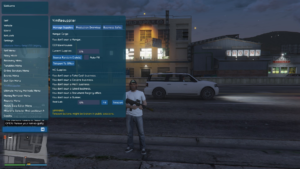

Video of the Script
Credits to Dev - #L7NEG Sharing the Script
Download Links:
Initialization and Player Safety Logic
At the start of the Ultimate Menu 1.72 Legacy Lua script, there is a significant amount of care to be sure that the player entity is completely loaded before any modification is applied to it. The script will wait for the following conditions to be true:
- Network Session Started (if online)
- Local Ped Exists
- Player is Active & Has Control
Only once these conditions have been met will the script apply any modification to the player's data, i.e., set the player's health to a fixed value. This approach helps to eliminate the possibility of:
- Writing to an invalid entity reference
- Executing the script during the loading screen of GTA V
- Writing to stats too early in the process, potentially leading to crashes
Protective initialization is key to the successful development of large menus that are going to be interacting with the game's memory heavily.
Character Context Detection (MPX & SPX)
The script defines two helper functions that are utilized throughout the entire menu:
- MPX – Online Character Resolver: This function determines if the player is currently using either MP0 or MP1. This is important because it ensures that all multiplayer statistics are written to the proper character slot.
- SPX – Story Mode Character Resolver: This function determines whether the active story mode character is Michael, Franklin, or Trevor. This allows for the safe manipulation of single-player statistics such as cash and skills.
Separating the detection of the context of the player, both in terms of being in multiplayer mode versus single-player mode and also between the three playable characters in the single-player mode is vital since both multiplayer and single-player modes utilize the same back-end statistics; however, they utilize different namespaces. By separating the two contexts, the potential for cross-context corruption of statistics is eliminated.
Global, Local, and Tunable Address Mapping
One of the largest parts of the Ultimate Menu 1.72 Legacy Lua script is devoted to creating memory addresses that correspond to variables used internally within GTA. Examples of these memory addresses include:
- Global Free Mode Variables
- Variables and Locals Specific to Heists
- Casino Systems
- Flags for Events
- Variables Used by the Economy
Each of these memory addresses corresponds to a specific Rockstar variable that affects the overall behavior of the game. By mapping these values, the script is able to alter the behavior of the game in ways such as altering the percentages of loot given out to players during a heist, eliminating cooldowns on various items, and unlocking items earlier than would normally occur. The Memory Address Layer is the basis of all advanced features in the Ultimate Menu 1.72 Legacy Lua script.
Menu Architecture and Organization
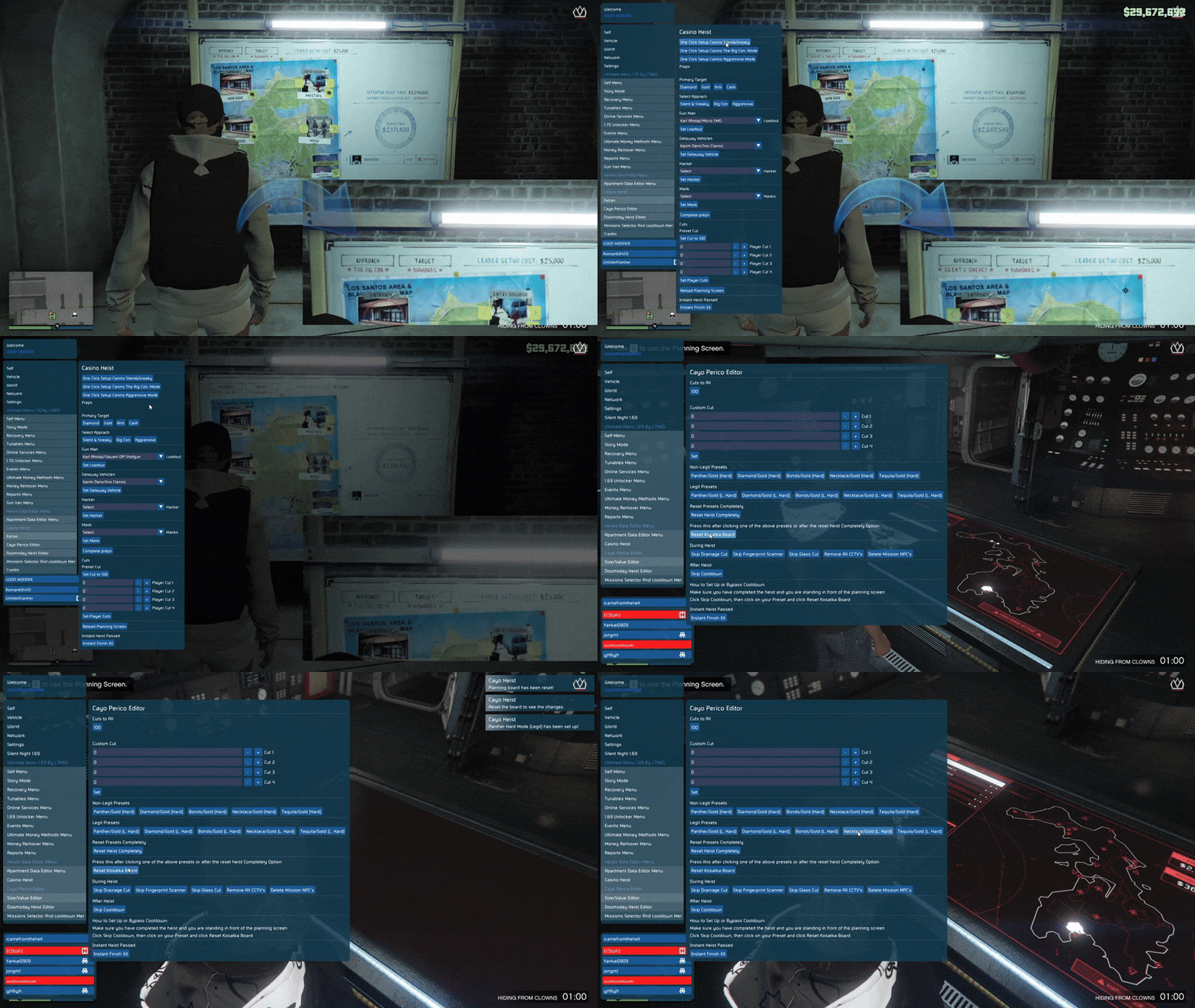
The menu of the Ultimate Menu 1.72 Legacy Lua script is organized into a hierarchical tab system. This organization of the menu is done to provide a better user experience, reduce the risk of the user accidentally causing problems with their GTA Online session, and to make the script easier to develop and expand in the future. Some examples of the types of tabs included in the menu include:
- Self Menu
- Story Mode
- Recovery Menu
- Tunables Menu
- Online Services
- Events
- Awards Unlocker
Each of the categories listed above are isolated logically from each other. This isolation provides greater stability for the script as well as makes it easier to develop or expand in the future.
Self Menu – Player Utilities
The Self Menu is focused around providing users with a variety of utilities that enhance the gaming experience for users. Some examples of the type of utilities available in the Self Menu include:
- Gender Change Unlock: The script will cause the internal statistic to become unlocked that allows users to change the gender of their character. Users should be aware that the ability to change the gender of your character is restricted in some way due to limitations imposed by Rockstar Games.
- Transaction Error Removal: The script will reset several global variables that are associated with transaction states. Many users find it helpful to reset these variables to resolve issues with transactions that fail, inventory errors, etc.
- Inventory & Armor Refill: The script will refill a user's snack, armor, and other consumables. In addition, users have the option of selecting to refill their supplies in a standard quantity or in an extremely high quantity for extended sessions or for testing purposes.
- Bad Sport Status Control: Users are able to toggle the "bad sport" status of their character by modifying the following variables:
- Bad Sport Flags
- Total Bad Sport Score
- Character Bad Sport State
Story Mode Features
Story Mode features are separated from the Online services.
Money Controls
Users are able to modify their money in the following ways:
- Live Slider for Modifying Current Money
- Buttons to Add a Set Amount of Money Up to $1 Billion
Skill Maxing: All of the relevant skill statistics will be set to the highest possible values, including stamina, shooting, flying, stealth, and special abilities. Users may find these features useful for new playthroughs, testing, or for recording video walkthroughs.
Recovery Menu – Rank and Crew Progression
The Recovery Menu is designed to help users recover from difficult situations, including loss of rank and crew status. Some of the Recovery Menu features include:
- Rank Setter: Users are able to set their rank up to level 8000. The script includes a full RP table for early levels and a mathematical fallback for higher ranks. The script will ensure that the rank is set to a valid RP value so that the user doesn't receive any error messages and/or corrupted game data. Once the user's rank is changed, the script will trigger a session refresh so that the user can see their new rank in-game.
- Crew Rank Setter: Users are able to set the rank of up to five crews. The script will handle each crew independently to ensure that no unwanted or unintended consequences result from setting a crew rank.
Tunables Menu – Economy and Event Multipliers
The Tunables Menu allows users to modify the reward multipliers for the following economy-based rewards:
- Arena Points (AP)
- Street Races
- Pursuits
- Face-to-Face Races
- LS Car Meet Progression
Tunables are server-controlled values that are loaded at run time. Because of this, tunables typically revert back to default values when the session changes. This makes tunables perfect for use in conjunction with temporary boosts or testing scenarios.
Online Services – Casino Systems
The Casino Services Menu is used to modify the behavior of GTA Online's casinos. Some of the casino features that are accessible via the Casino Services Menu include:
- Casino Chip Limits: The script will override the chip purchase limits that are established by the casino by modifying the global values that are used by the casino backend.
- Cooldown Bypass: The script will reset many of the cooldown and restriction statistics that are used by the casino, thereby allowing users to perform repeated actions without having to wait for cooldowns to expire.
- Slot Machine Control: The script will force the slot machines to display either a win or a lose message by modifying the local variables that are used by the slot machine script.
- Lucky Wheel Rewards: The script will check to see if the lucky wheel script is currently running and then force the lucky wheel to display a specific reward, such as a vehicle, money, RP, or a mystery prize, without crashing the session.
Events Menu – World State Control
The Events Menu is used to enable/disable certain limited-time/hide events in GTA Online. Examples of the types of events that can be enabled/disabled via the Events Menu include:
- Snow Toggle: Will enable/disable snow graphics globally.
- Halloween Weather: Will enable Halloween weather effects outside of the officially designated Halloween season.
- Yeti Hunt Event: The script will enable the Yeti Hunt event, provide teleport locations for all clue points, and will provide direct teleportation to the final encounter. This example shows the use of manipulating event flags instead of injecting assets into the game.
Awards Unlocker System
The Awards Unlocker is divided into logical categories:
- General Awards
- Weapon Awards
- Crime & Combat
- Vehicles
- Heists
Each button in the Awards Unlocker will set a large number of related statistics to simulate a natural progression in earning the award, as opposed to simply enabling/disabling a single award flag. This approach minimizes the opportunity for awards to be partially unlocked or for missing awards to exist.
Heist Awards and Completion Tracking
The script provides a full award tracking system for Apartment Heists, as follows:
- Award Counts
- Role Coverage
- Deathless Runs
- Cutscene Progression
- Planning Board Completion
By setting both character-specific and global tracking statistics, the script ensures that heist progression is consistent across sessions.
Script Design Strengths
There are several strengths to the design of the Ultimate Menu 1.72 Legacy Lua script, including:
- Defensive Initialization Logic
- Safe Separation of Story Mode and Online Statistics
- Well-Organized Modular Structure
- Enforcement of Session Refreshes After Major Changes
- Stat Bulk Consistency to Prevent Partially Unlocked Bugs
Each of the strengths mentioned above greatly enhances the overall stability of the script compared to less complex or poorly structured scripts.
Conclusion
The Ultimate Menu 1.72 Legacy Lua script is a comprehensive mod menu system for GTA Online rather than just a simple collection of cheats.